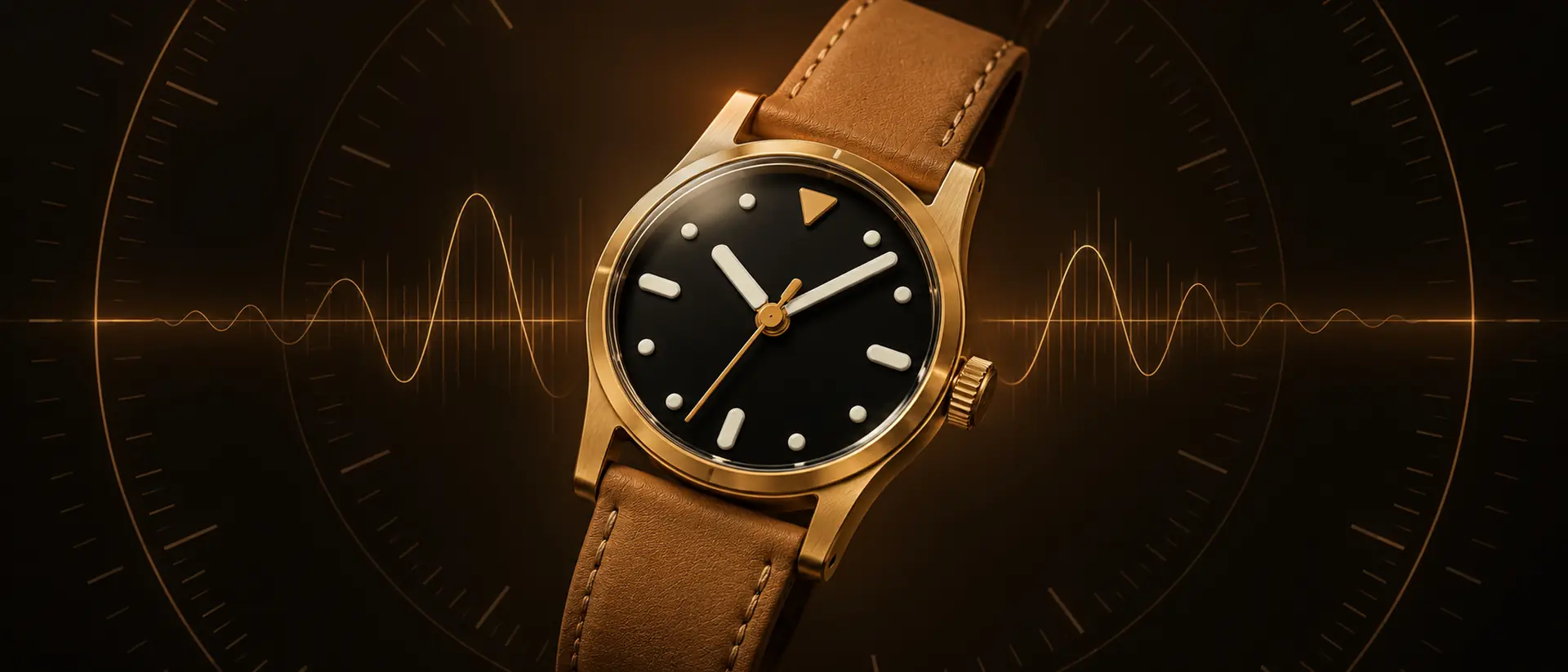
Five seconds a day is a minute fast in under two weeks.
Every mechanical watch drifts. What matters is by how much, whether it’s getting worse, and why. A glance at your phone won’t tell you.
Guessing by eye
Holding the seconds hand up to your phone gives a different answer each time, and no record of the last one.
No timing machine
Watchmakers read rate, beat error and amplitude on a timegrapher, a tool most owners never buy.
Sudden jumps
A watch that starts gaining tens of seconds a day is usually magnetized, not broken, but you can’t tell from the dial.
How it works
A real daily rate, from two taps.
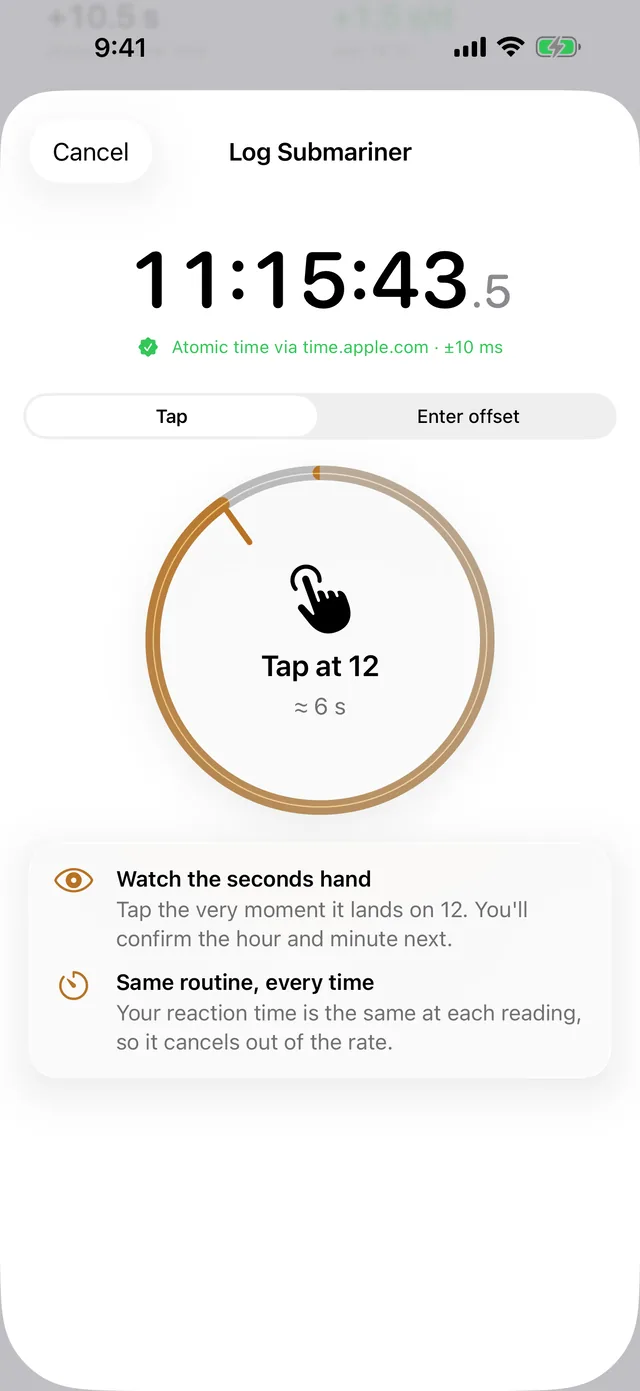
Tap at 12
Tap the moment the seconds hand reaches 12, then confirm the hour and minute. WatchLog stamps it with atomic time.
Wear it as usual
Note how it spent the time: on the wrist, on a winder, or resting dial up or crown down overnight.
Log again tomorrow
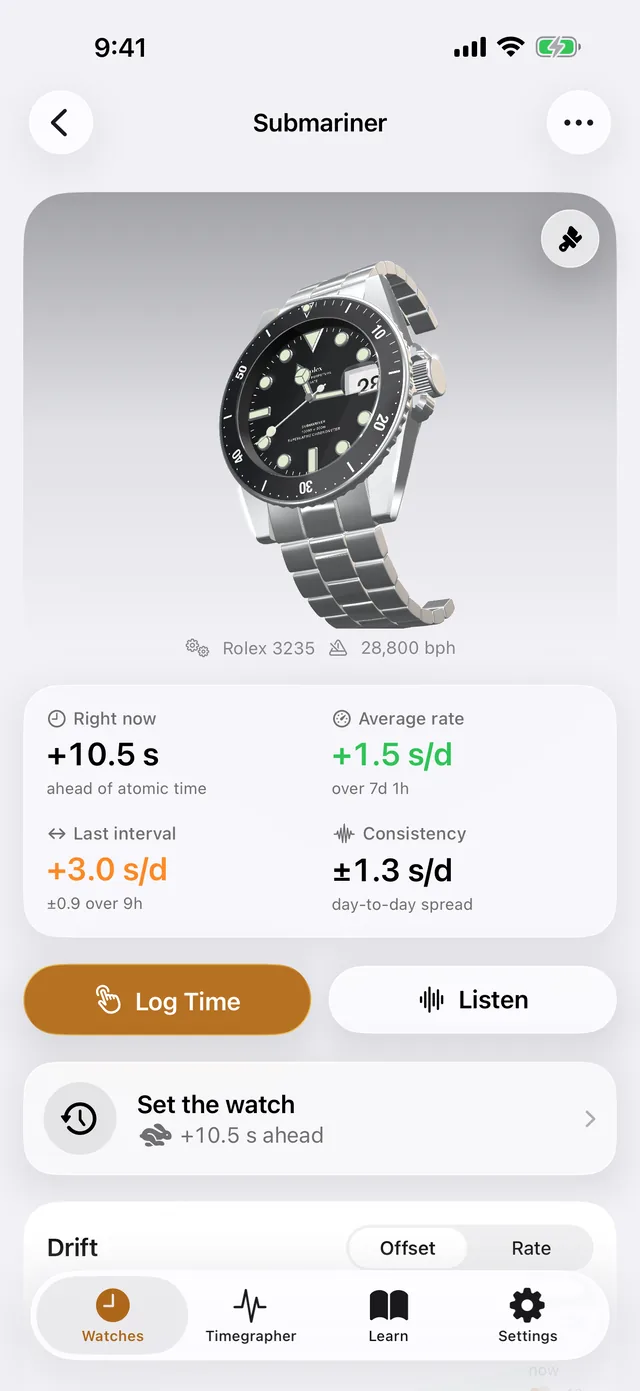
See the daily rate, the average over the run, how consistent it is, and the day it will be a full minute out.
Your reaction time is the same each time, so it cancels out. Longer intervals give finer numbers.
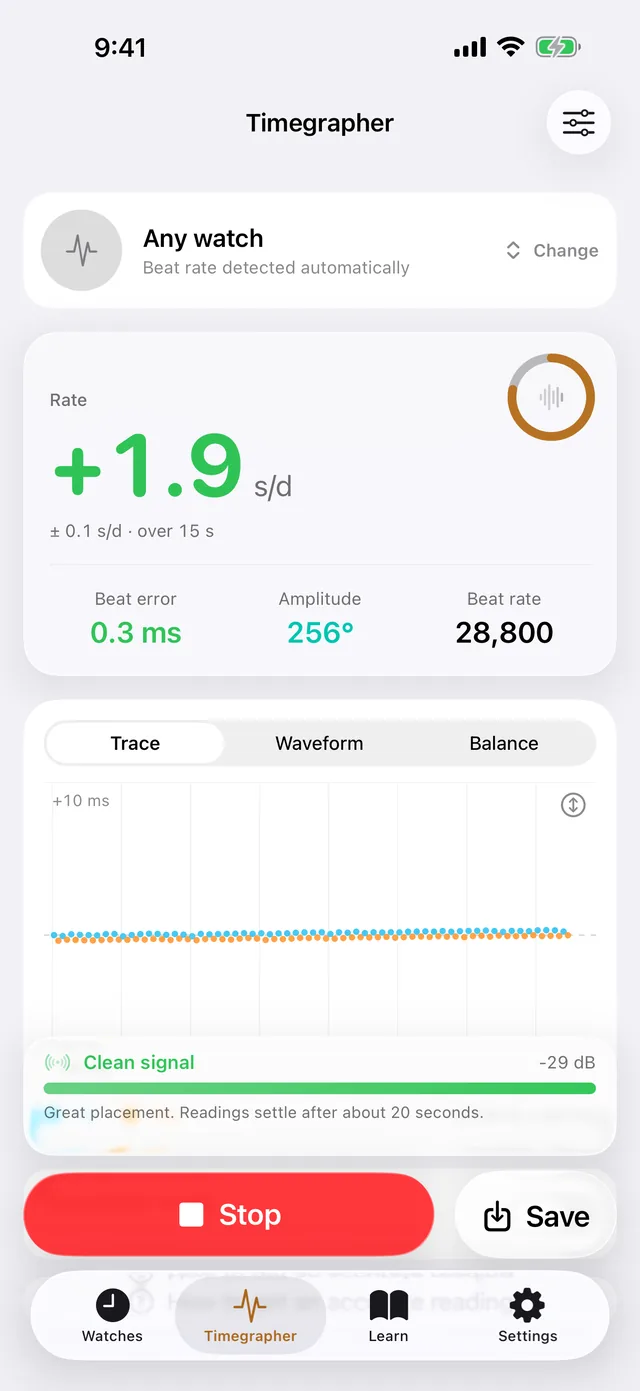
Timegrapher
Listen to the movement.
Hold the watch to the microphone and see what a timing machine sees: rate, beat error and amplitude, with the beat rate detected from 12,000 to 43,200 bph.
- A live trace, the tick’s waveform and a 3D balance wheel swinging at the measured amplitude
- A signal meter and placement hints for a clean reading
- A regulation mode with fast feedback while you turn the regulator
Chronometer standards
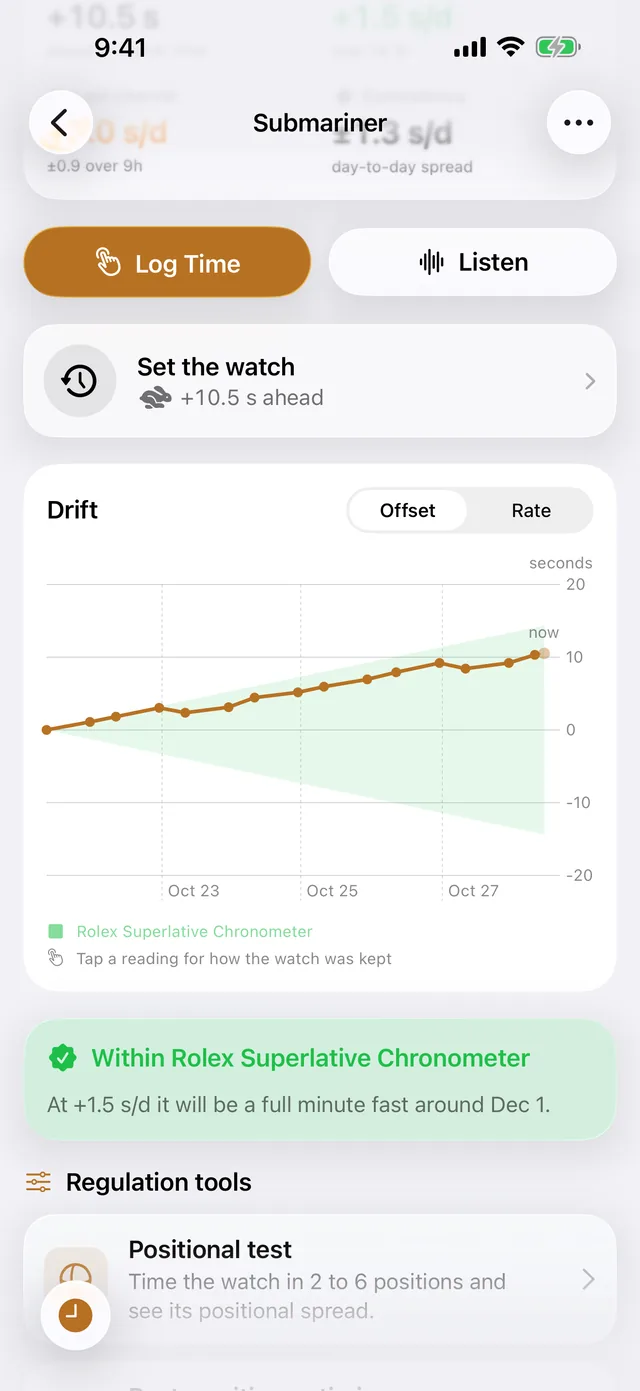
Is it running to spec?
Every reading is charted against one of 14 standards, from COSC (−4 to +6 s/d) and METAS (0 to +5 s/d) to the maker’s own grade, with the tolerance opening out over time. You see at a glance whether the watch is within spec, how far ahead or behind it is now, and when it will be a minute out. What each standard allows.
A set-to-time assistant counts you down to the minute and tells you when to push the crown in. Setting, regulating or demagnetizing starts a fresh run, so it never counts as drift.
Your collection
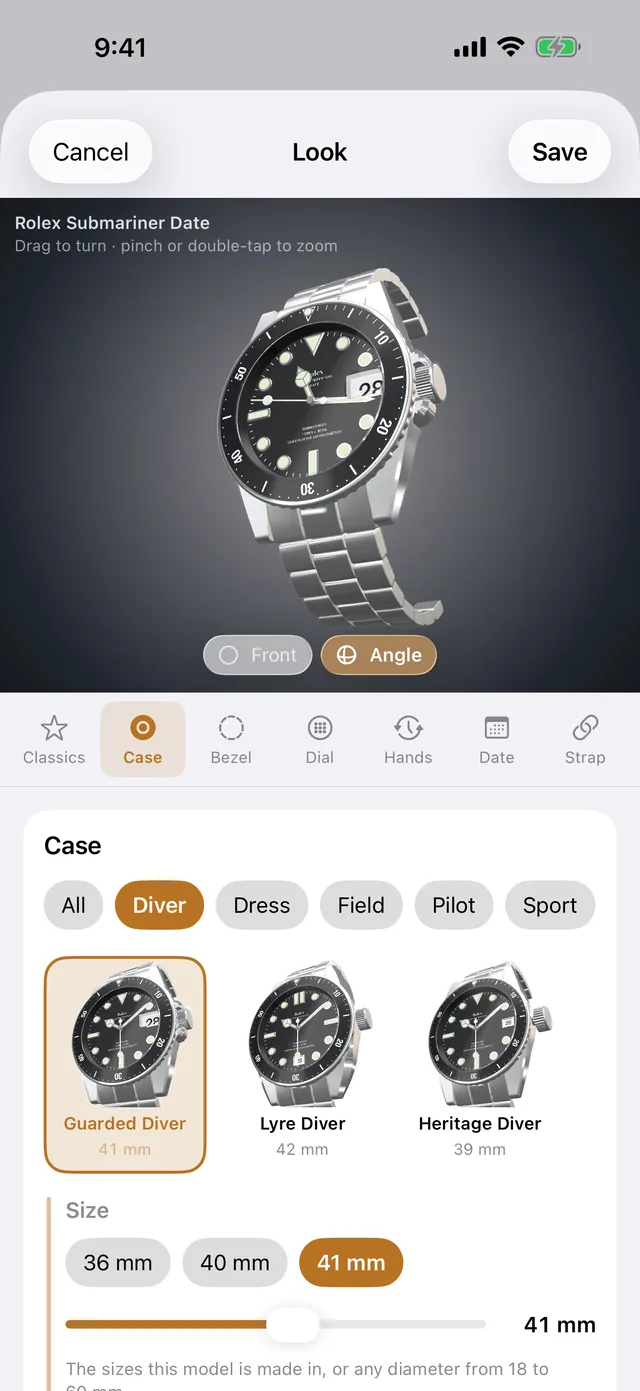
Every watch, drawn in 3D.
Start from 136 of the most worn mechanical watches, from dive watches to dress watches, then change the case, size, bezel, dial, hands, date and strap until it’s yours. Your collection syncs through iCloud to iPhone, iPad and Mac.
Magnetism check
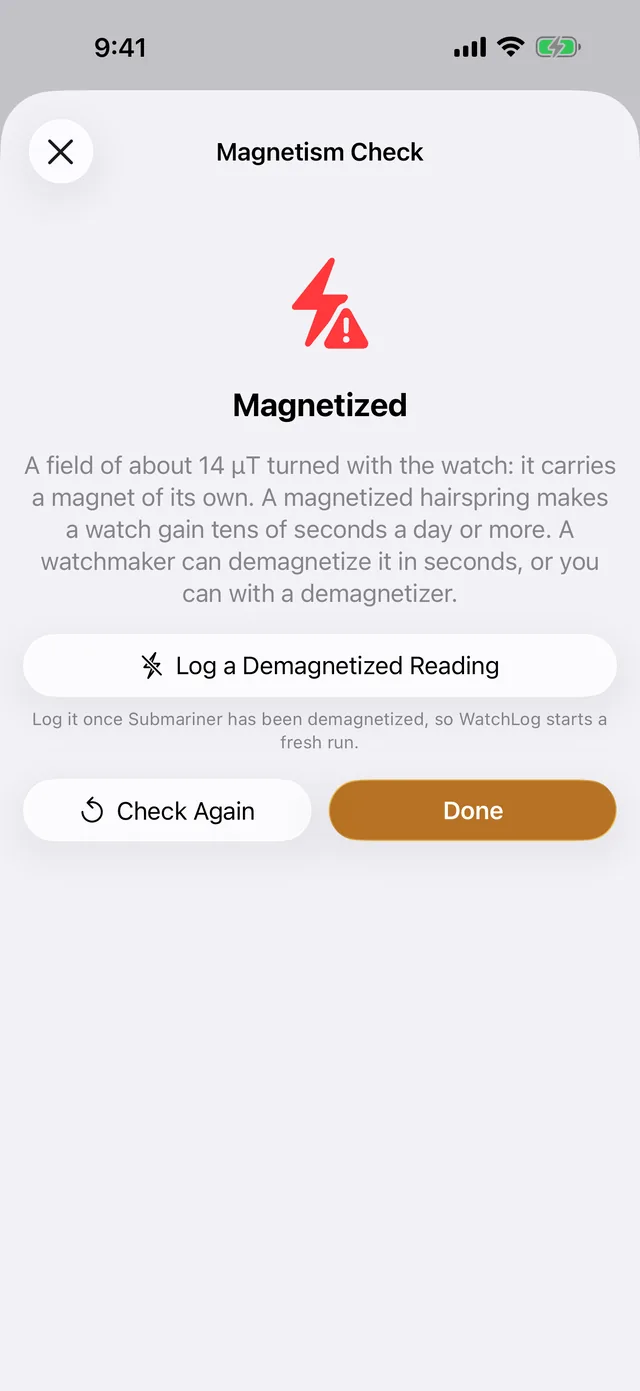
Magnetized, or broken?
Turn the watch over your iPhone or iPad and its compass sensor tells you whether the watch carries a magnet of its own. If it does, any watchmaker can demagnetize it in seconds, and WatchLog starts a fresh run.
And the rest of the toolkit.
Widgets and Siri
Where a watch should be right now, on the Home Screen, Lock Screen or Mac desktop, or ask Siri.
Learn as you go
Short guides to the escapement, positional variance, accuracy standards and servicing.
Reminders
A nudge when a watch is due its next reading, so a run never goes cold.
Private by design
Sound is analysed on the device and never recorded. No account, no ads, no tracking.
Free for three watches.
Pro for the whole collection.
Free
Up to three watches, no time limit
- Drift log against atomic time
- Timegrapher
- Chronometer standards
- 3D watches
- Magnetism check
- Widgets, Siri and iCloud sync
WatchLog Pro First week free
Monthly or yearly, with a free week on the yearly plan
- Unlimited watches
- Positional tests in 2 to 6 positions, with chronometer grading
- A rest-position optimizer that tells you how to lay the watch down overnight to cancel its drift
- Full timegrapher history per watch and position
- CSV export
- Audio clock calibration for sub-second-a-day accuracy
Start free. Upgrade in the app any time, and cancel in your App Store account.
Questions
What is WatchLog?
WatchLog is a timegrapher and accuracy log for mechanical watches, on iPhone, iPad and Mac. It measures how many seconds a watch gains or loses each day against atomic time, and listens to the movement through the microphone to read its rate, beat error and amplitude, like a watchmaker’s timing machine. It’s free for three watches.
How do I check if my watch is accurate?
Tap the moment the seconds hand reaches 12 and confirm the time it shows; WatchLog stamps the reading with atomic time. Do the same about a day later and WatchLog gives the daily rate in seconds per day. For an answer in seconds rather than a day, hold the watch to the microphone and use the timegrapher. The accuracy guide explains the method and what the numbers mean.
Do I need any extra equipment?
No. Logging needs only the app and your watch, and the timegrapher uses your device’s microphone. A wired clip-on microphone helps in a noisy room but isn’t required. Avoid Bluetooth microphones: their compression erases the tick.
How accurate is it?
Every reading is stamped with atomic time from public time servers, not your device’s clock. Your reaction time is about the same each time you tap, so it cancels out of the rate, and over a day a tap a fifth of a second off moves the rate by only 0.2 seconds a day. The timegrapher shows its own margin of error with each reading.
Can an iPhone replace a timegrapher?
For checking a watch and regulating it at home, yes: WatchLog reads rate, beat error and amplitude the way a timing machine does. A phone hears the tick through the air rather than through a contact sensor, so it needs a quiet room and the watch touching the microphone, and its audio clock can be off by up to about ±1.7 s/d until you calibrate it, a Pro feature. A watchmaker’s machine still copes better with noise and very quiet movements.
Which watches does it work with?
Any mechanical watch, automatic or hand-wound. The timegrapher detects beat rates from 12,000 to 43,200 bph and knows the beat rate and lift angle of about 350 calibers from 53 makers; for any other you can set them yourself. The drift log works with any watch that has a seconds hand.
Does it work on iPad and Mac?
Yes. WatchLog runs on iPhone and iPad with iOS 26 or later and on Mac with macOS 26 or later, and your collection syncs between them through your private iCloud. The magnetism check needs a compass sensor, so it’s on iPhone and iPad.
How can I tell if my watch is magnetized?
A watch that suddenly gains tens of seconds a day or more is usually magnetized, not broken. On iPhone or iPad, WatchLog’s magnetism check reads the compass sensor while you turn the watch over the device, and tells you whether the watch carries a magnet of its own. Any watchmaker can demagnetize it in seconds.
Does WatchLog record what the microphone hears?
No. Sound is analysed on your device while the timegrapher runs and is never recorded, stored or uploaded. There’s no account, no ads and no tracking. The privacy policy has the details.
What’s free, and what does Pro cost?
The free app has the full logging and timegrapher tools for three watches, with no time limit. Pro adds unlimited watches, positional tests, the rest-position optimizer, full timegrapher history, CSV export and audio clock calibration. It costs US$4.99 a month or US$49.99 a year, with a free week on the yearly plan; prices vary by country, and you can cancel any time in your App Store account.
More answers on the support page, and the numbers explained in the accuracy guide.